
Metabase: a data dashboard to run your business in 2026
Metabase for SMBs: centralize your data, build dashboards and track your KPIs in real time. A comparison with Power BI and Looker, and the tool's limits.
 Tech · 6 min
Moving from individual AI use to collective adoption is the big technical challenge of 2026. While Cursor has established itself as the reference IDE, its power in a team depends on rigorous context configuration and clear governance of development rules.
In 2026, AI-assisted programming is no longer optional, it is the foundation of software productivity. However, disorganized use of an AI IDE can quickly turn a healthy project into a maze of technical debt. For an agency like Fragments Studio, the question is no longer whether AI can code, but how we orchestrate that intelligence so it respects our quality standards on every repository.
Cursor AI is a fork of VS Code that natively integrates language models (LLMs) at the heart of the editing experience. Unlike a simple extension, it has a deep understanding of the file tree, the types and the overall context of the project. For a team, Cursor offers three major advantages:
Based on what we have seen at Fragments, adopting Cursor with an optimized team configuration increases velocity by +40% during the initial development phases, while reducing architectural compliance errors.
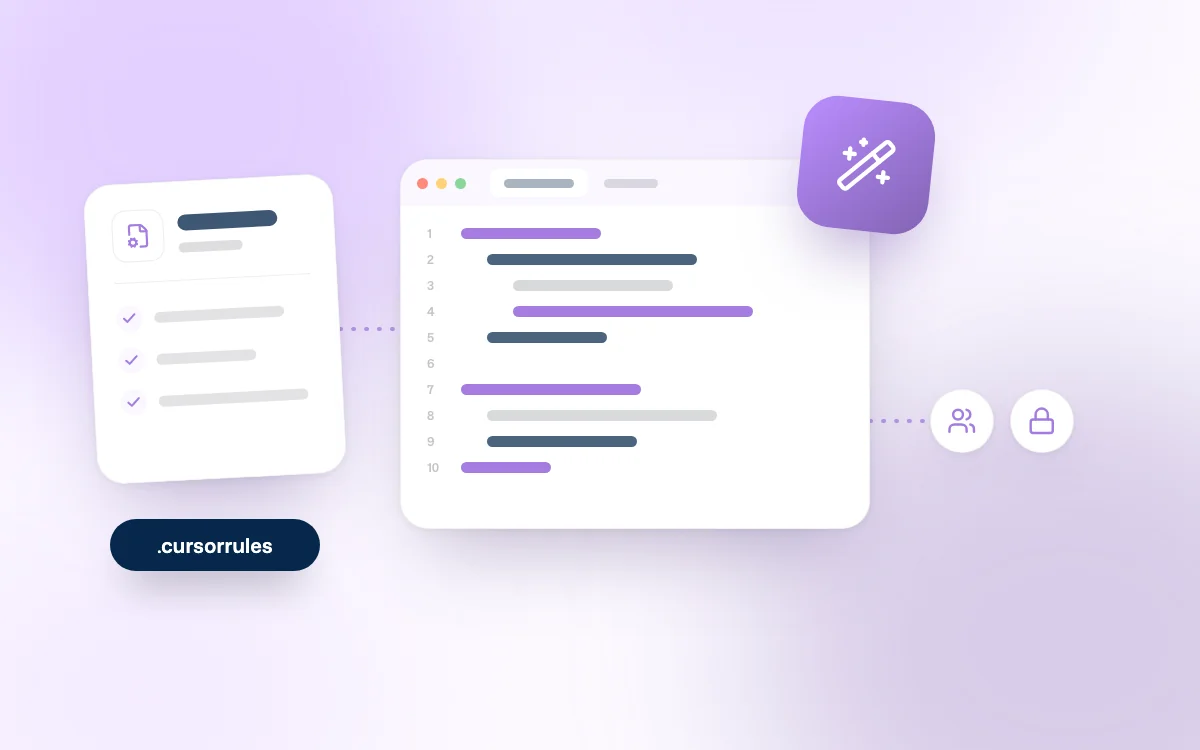
The cornerstone of a successful team setup is the .cursorrules file. This file, placed at the root of your project, acts as the AI's "instruction manual" for that specific repository. Without it, each developer gets different results based on their own prompts.
A well-structured .cursorrules file should define:
For a team to be effective, the AI must have access to the same "truth". In Cursor's settings, make sure the Codebase Indexing option is enabled and synced through the organization settings. This avoids the "black box" effect where the AI suggests a function that already exists elsewhere under a different name.
It is also recommended to configure custom Docs in Cursor. By adding the URLs of your internal documentation or of specific frameworks, you give the AI access to up-to-date knowledge that the models do not necessarily have in their initial training data.
The landscape of AI-assisted programming tools has fragmented. Here is how we position Cursor against its current competitors:
At Fragments, we often advise a hybrid approach: Cursor for the IDE, and Claude Code 2026 for complex CLI automations.
Entrusting your code to an AI raises legitimate security questions. In 2026, Cursor offers robust guarantees through its Cursor Business plan (around $40 per user per month).
This is the non-negotiable setting for a company. Privacy Mode guarantees that your code is never used to train future models. For organizations under strict constraints, Cursor now supports deployment through private instances on Azure or AWS, ensuring data never leaves your cloud perimeter.
Cursor has reached key milestones by obtaining SOC2 Type II and ISO 27001 certifications. For an SMB or a scale-up, this means the tool is auditable and compliant with current IT security standards.
Drawing on our everyday use of AI, here are our recommendations for an effective rollout:
@Files, @Codebase or @Web to limit noise and reduce token consumption.Can Cursor replace a senior developer? No. Cursor acts as a force multiplier. It handles boilerplate and repetitive tasks, but architectural decisions and managing business complexity remain the developer's prerogative.
What is the real cost of Cursor for a team of 10? Counting Business subscriptions and any use of third-party APIs for advanced reasoning models, plan for around €450 to €500 per month. A cost largely offset by the observed productivity gains.
How do you manage secrets and API keys with Cursor?
You must use a .cursorignore file to exclude .env files and sensitive folders from the AI's indexing, even in Privacy Mode.
Is Cursor compatible with existing VS Code extensions? Yes, since Cursor is a fork of VS Code, it supports 99% of the extensions available on the Marketplace, which makes migrating teams much easier.
Configuring Cursor AI for a team in 2026 is not just about handing out licenses. It is a technical project that requires defining a framework (the .cursorrules), guaranteeing security (Privacy Mode) and training employees to interact with AI agents. When it is well managed, the IDE becomes a full member of the team, able to maintain code consistency at unprecedented speed.
If you have already explored Cursor on mobile, you know the flexibility is total; rolling it out on desktop for all your developers is the logical next step to industrialize your production.
Moving to an AI-assisted development stack requires both technical and organizational expertise.
Follow Fragments Studio on Google
Add us to your preferred sources and our articles get surfaced first in Top Stories, AI Overviews and AI Mode.
 Tech · 6 min
Metabase for SMBs: centralize your data, build dashboards and track your KPIs in real time. A comparison with Power BI and Looker, and the tool's limits.
 Tech · 7 min
Scalable software architecture for SaaS in 2026: modular monolith or microservices, horizontal scaling, caching, message queues and the mistakes to avoid.
 Tech · 7 min
Google launches the 'Preferred Sources' button: learn how to install it to dominate AI Overviews and secure your GEO and SEO visibility in 2026.
Fragments Studio handles everything: from strategy to production.
Discuss my project