Our project tracking platform,built for our clients.
Cockpit gives our clients one place for documents, billing, roadmap and team contact, without endless email threads. An MCP server also lets you query it directly from your preferred LLM.
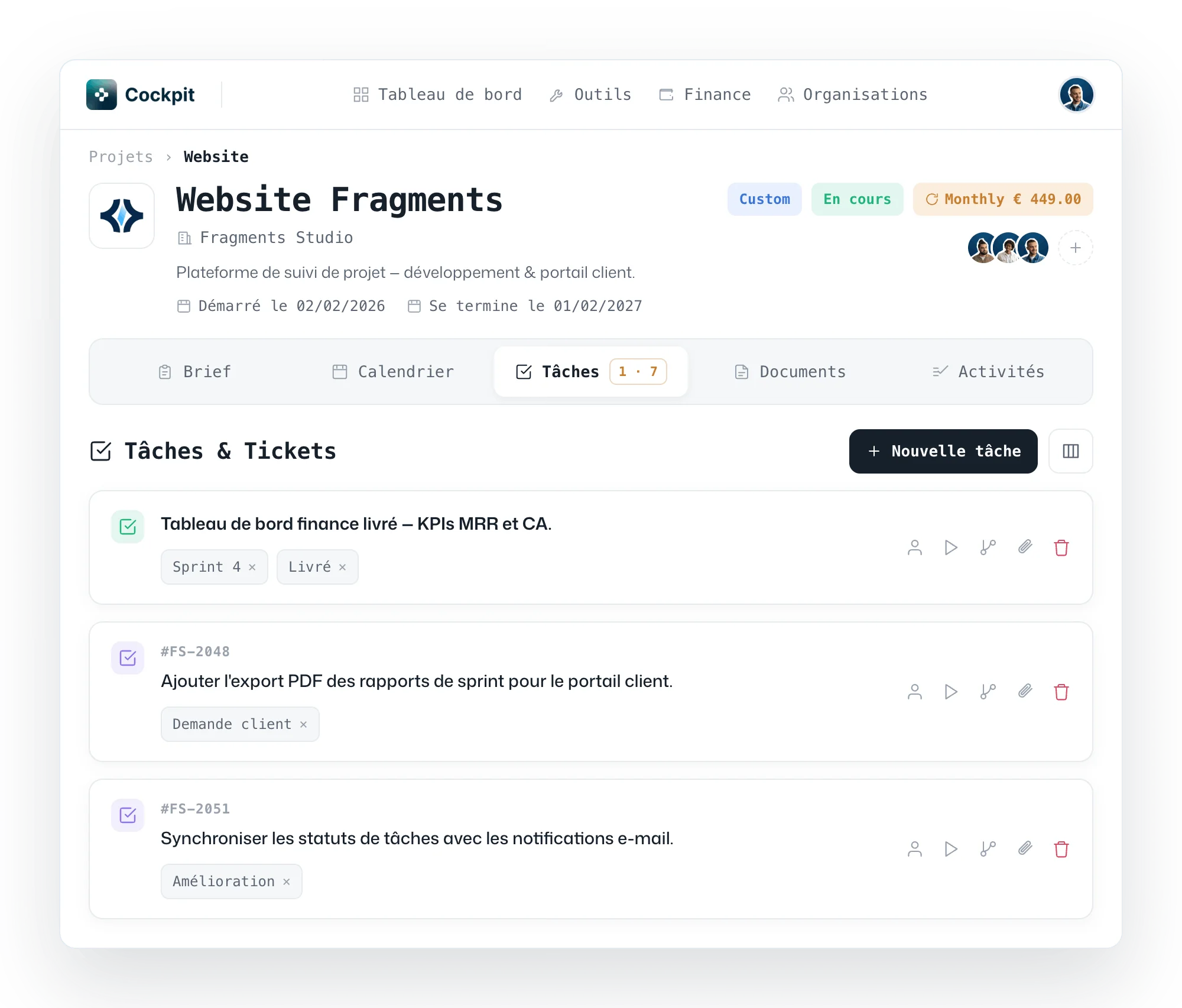
Tracking a digital project
shouldn't mean ten email threads.
- Brief, specs and deliverables scattered across email threads
- Invoices and admin information hard to find
- "Where's my project at?" sent on repeat, with no clear answer
- Project tracking inaccessible from your preferred LLM
- Brief and admin or functional documents available at any time
- Centralized billing, shared roadmap and calendar
- Direct contact with the team, secure credentials and maintenance tickets
- MCP server to query Cockpit directly from your preferred LLM
Client tracking, collaboration and AI integration, in one place.
See progress and what's coming next.
Shared roadmap, milestones and calendar: your client sees what's done, what's ahead and key dates, without chasing you by email.
Brief, specs, deliverables and billing.
Requirements, admin and functional documents, mockups, sprint reports and billing information: everything is uploaded, versioned and easy to find for you and your client.
Reach the team and submit tickets.
Your client talks directly to the people working on their project. After delivery, they can open maintenance tickets without going back to email.
Protected credentials, software connected to AI.
Credentials and sensitive access shared in a secure space, no more passwords sent in plain text. On eligible projects, a built-in MCP server exposes your business data to AI agents via the Model Context Protocol.
Operational from project kick-off.
Onboarding & access
From kick-off, your client gets personalized Cockpit access: brief, project team, first documents and MCP setup when the project calls for it.
Continuous tracking
At every sprint, the roadmap updates, deliverables are uploaded and billing stays visible. Your client follows progress without pinging the team.
Delivery & longevity
At the end of the project, the full history stays accessible: documents, invoices, credentials, maintenance tickets and, when relevant, the MCP server to keep your business software connected to AI.
Cockpit has been genuinely helpful: we track all our projects in one place, clients get every document and piece of information they need without chasing us, and we've cut way down on pointless project-status emails and messages.
 Adrien KorbendauFounder · Fragments Studio
Ready to give your clients a better project experience?
Tell us about your project and discover how Cockpit centralizes client collaboration, simplifies day-to-day work for your team and connects your business software to AI when it makes sense.
Contact the team