
Outsourcing your product development in 2026: time and materials, fixed price or studio?
How do you choose between time and materials, fixed price and a product studio in 2026? Discover the models, real costs and pitfalls of outsourcing your dev.
 Studio · 9 min
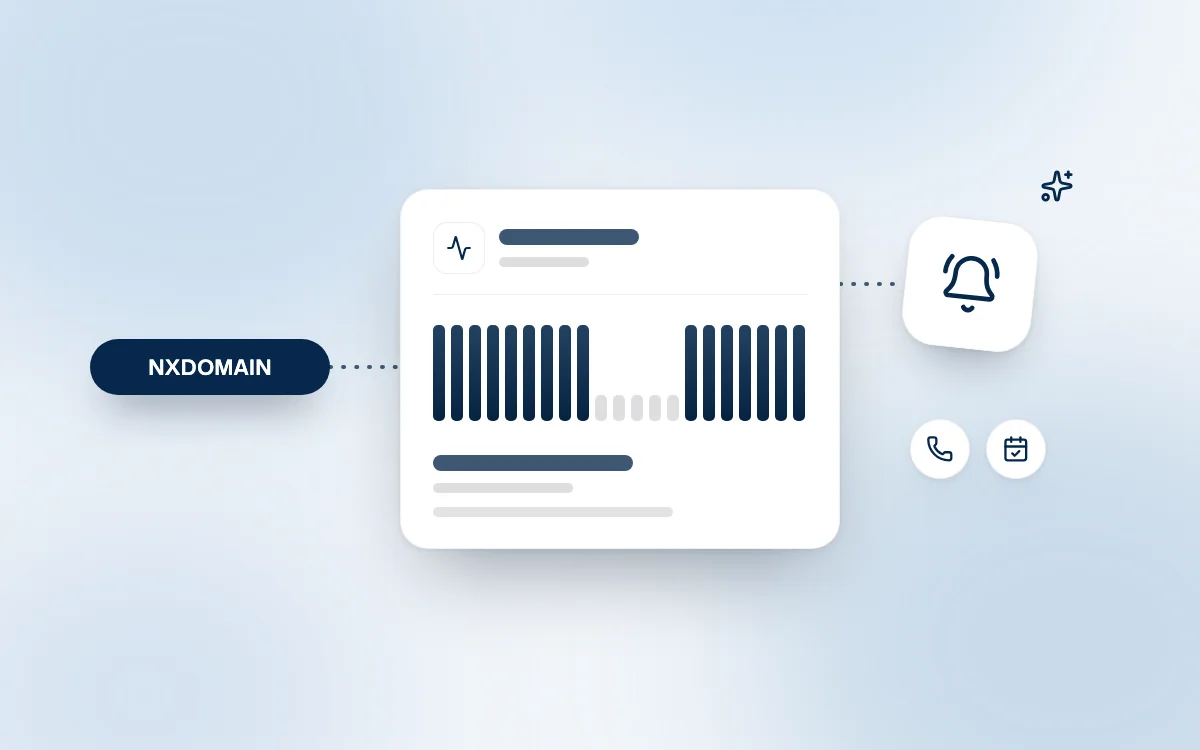
An expiring domain name gives no warning: one evening, your website, your API and your application all stop responding at once. Here is how our monitoring caught this scenario at a client's in ten minutes, and what you can put in place so it never happens to you.
Website monitoring means automatically checking, at regular intervals, that your website, your API and your application respond correctly. It is the most reliable safety net against an outage nobody sees coming: domain name expiration. When auto-renewal fails silently, only an external check lets you react before the domain is lost.
An expired domain name cuts DNS resolution for everything that uses it. The DNS (Domain Name System) is the Internet's directory: it translates your-domain.com into an IP address. Without it, no browser, no mobile app and no server knows where to find your services anymore.
So the outage does not only hit the marketing website. It simultaneously hits every subdomain (api., app., admin.), the emails sent to your domain and your partners' integrations. On the visitor's side, Chrome shows the DNS_PROBE_FINISHED_NXDOMAIN error: the domain "no longer exists".
A domain name is not bought: it is rented for a limited period, often one year, from a registrar. This is the company where you manage your domain, such as OVHcloud, Gandi or Ionos.
For generic extensions (.com, .net, .io…), ICANN's ERRP policy sets the timeline:
For .fr, AFNIC (the .fr registry) also provides a 30-day redemption period. After that, the name can be grabbed on a "first come, first served" basis, including by players who specialize in recovering expired domains.
Auto-renewal is essential, but it fails silently. At Fragments Studio, we almost always find the same causes:
This is not a technical problem, it is a process problem. According to Uptime Institute's Annual Outage Analysis 2025, nearly 40% of organizations suffered a major outage caused by human error over three years, and 85% of those incidents stem from procedures that were not followed or were poorly designed.
Our position is simple: an outage must be detected by the maintenance team, not by our clients' customers. The case below, which happened in October 2026, shows why.
One of our clients runs a B2C platform made of three building blocks: a marketing website, an API and a business web application. All three services share the same domain name. The marketing website is hosted by a no-code vendor, the API and the application on a different infrastructure.
All three services are monitored in Cockpit, our project management platform, whose monitoring module checks each service every 5 minutes.
| Time (Paris) | Event |
|---|---|
| Monday, October 12, 7:08 pm | First failed check on the API: no HTTP response |
| 7:18 pm | Third consecutive failure: alert sent to our team |
| 7:18 pm | The marketing website stops responding in turn |
| 7:37 pm | The web application goes down: all three services are offline |
The half-hour gap between the three services is explained by DNS caches: each resolver keeps the last known answer for a limited time (the TTL), then discovers that the domain no longer resolves.
The diagnosis came down to one question: what do three services hosted by two different providers, going down together without returning a single HTTP code, have in common? Their domain name. Checking the registration confirmed the expiration: auto-renewal had not gone through.
Since the client owns the domain, we could not renew it ourselves. So we contacted them directly, explaining the cause and the exact steps to follow at their registrar. As soon as the renewal was confirmed and DNS resolution restored, all three services came back online within the same minute, with no code changes and no data loss.
What matters most is elsewhere: the domain never entered the redemption period. No restoration fee, no risk of a third party grabbing the name, no search rankings to rebuild. Without an alert, this client could have discovered the problem through their users, or worse, weeks later.
Effective monitoring checks every exposed service, from the outside, with thresholds that tell a real outage apart from a simple slowdown. The monitoring chapter of Google's SRE book sums it up well: an alert must signal a real problem and call for human action.
| Check | What it detects | Recommended frequency |
|---|---|---|
| HTTP availability | Website, API or application no longer responding | 1 to 5 minutes |
| Keyword on the page | Registrar parking page returning a 200 code | 1 to 5 minutes |
| Latency | Degraded service before an outright outage | On every check |
| Domain expiration date | Approaching deadline, renewal not completed | Daily, alerts at D-30 and D-7 |
| SSL certificate | Expired or soon-to-expire certificate | Daily |
The keyword check is often forgotten. Yet ICANN's policy allows the registrar to redirect an expired domain to an information page: the server then responds "200 OK", and monitoring that only looks at the HTTP code stays green.
For each project under maintenance, we set up one monitor per exposed service: website, API (on a /health route) and application. Our default settings:
Monitoring with nobody to read the alert is useless. At Fragments Studio, every alert goes to the team that knows the project, with the context needed to act. For code-level observability, see also our article on NestJS Observe.
Proactive maintenance means handling known risks before they turn into incidents. For your domain names, seven actions are enough:
tech@your-domain.com) rather than a person's address.These rules also apply to access inherited from a former provider: it is one of the first things we check when we take over a badly developed project.
What happens when a domain name expires? The registrar, meaning the company the domain is rented from, interrupts DNS resolution: the website, the API, the subdomains and often the emails stop working. The domain then remains renewable for a few days to a few weeks, then enters a 30-day redemption period. After that, it becomes available again and anyone can register it.
How can you tell whether a website outage comes from a DNS problem?
A DNS outage shows up as a complete absence of HTTP response: the browser displays DNS_PROBE_FINISHED_NXDOMAIN instead of a 500 or 502 error. If several services hosted by different providers go down together, the common point is almost always the domain name or its DNS zone.
How often should you monitor a website? For a marketing website, a check every 5 minutes is enough. For a critical API or application, aim for 1 to 5 minutes, with an alert after 2 or 3 consecutive failures to avoid false positives. The domain and SSL certificate expiration dates are checked once a day.
Is domain name auto-renewal enough? No. It depends on a valid payment method, an active registrar account and an option that can be disabled during a transfer. It must be backed by external monitoring of the expiration date and of service availability.
An expired domain name is one of the dumbest and most expensive outages there is: nothing breaks in the code, yet everything becomes unreachable. Auto-renewal reduces the risk, it does not remove it. What makes the difference is external monitoring of every service and a team that reacts within minutes of the alert.
This is exactly what we expect from professional maintenance: seeing the problem before the client does, understanding the cause quickly and guiding them all the way to the fix.
Effective maintenance means monitoring in place, alerts that get read and a team that knows your project.
Follow Fragments Studio on Google
Add us to your preferred sources and our articles get surfaced first in Top Stories, AI Overviews and AI Mode.
 Studio · 6 min
How do you choose between time and materials, fixed price and a product studio in 2026? Discover the models, real costs and pitfalls of outsourcing your dev.
 Studio · 8 min
Google Drive can't duplicate a folder. The story of a Workspace add-on coded in 30 min with Claude without knowing Apps Script, and lessons for internal AI.
 Studio · 7 min
Cursor Cloud Agents, Claude, MCP and n8n workflows: how Fragments Studio uses AI every day, the estimated gains and what the team never delegates.
Fragments Studio handles everything: from strategy to production.
Discuss my project