Building a web application in 2026: from scoping to launch
Complete 2026 guide to building a web application: project steps, tech stack choices and real budgets for your business tool or SaaS.
 Product · 7 min
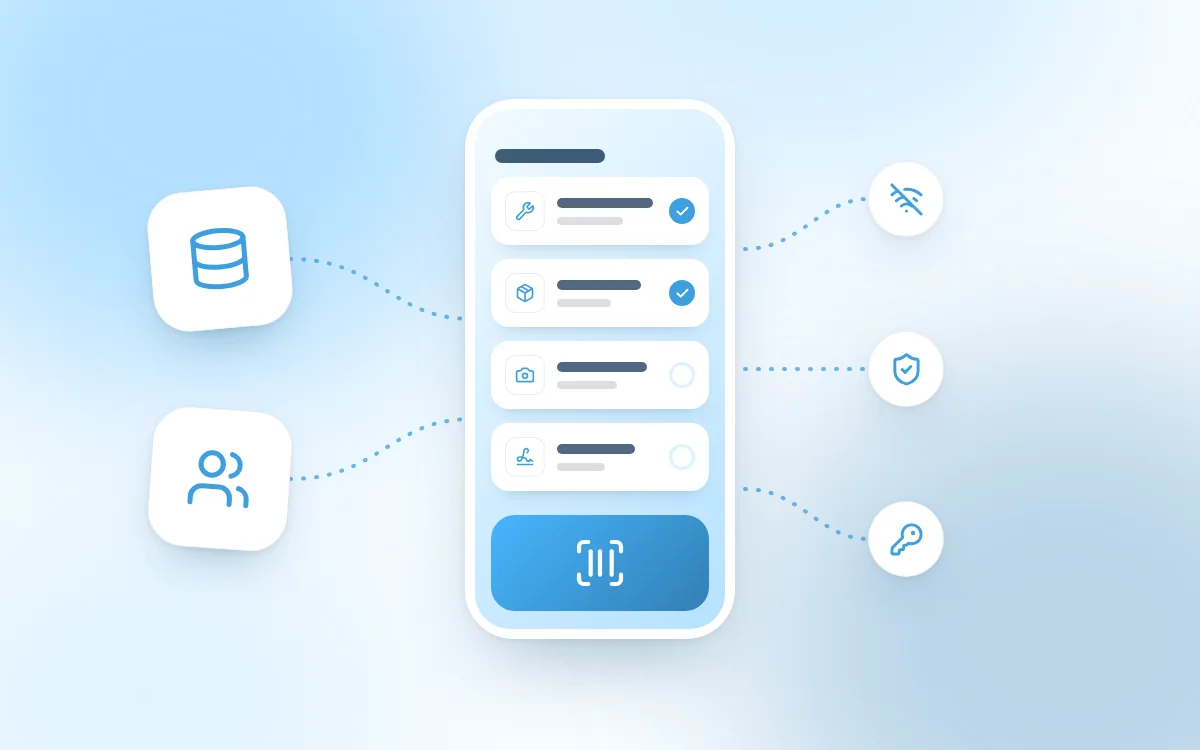
An enterprise mobile app is an application designed for an organization's employees or partners, not for the general public. It is used to carry out a business process on the go: a service call, an inventory, a sales visit, an HR request. This guide helps you decide whether you need one, which technology to choose and how to deploy it without going through the public stores.
An enterprise mobile app is justified when a process takes place away from the office, depends on the phone's hardware (camera, GPS, barcode reader) or must work without a reliable network. In every other case, a responsive web tool is often simpler and cheaper to maintain.
A mobile business app is an application that takes a specific company process (a delivery round, a goods receipt, a leave approval) and makes it executable from a smartphone or tablet. It differs from a mobile-friendly website through its access to the device's sensors and its ability to work offline.
A web application is enough when these four conditions are met:
At Fragments Studio, we recommend starting with this question before writing any mobile specification. We would rather tell a client that a web tool is enough than sell them an app they do not need. To frame that choice, our article on the profitability of custom business software provides a complementary decision grid.
A simple business app costs several tens of thousands of euros. As soon as you add an offline mode, integrations with the information system, fine-grained role management and MDM deployment, the budget becomes significantly higher. Scope, the number of platforms and integrations weigh more than design.
We do not detail the pricing grid here: it is covered in our article How much does a mobile app cost in 2026.
The most profitable use cases are those where double entry (paper, then re-entry) wastes time and causes errors: field service, inventory, mobile sales and HR processes. Each meets a different need, but all rely on the same logic: capturing information at the source.
Our observation: the best first project is one that serves a team of 10 to 50 people with a measurable pain point (data entry time, errors, billing delays). You ship a limited version, test it in the field, then expand.
An enterprise app must handle three constraints that consumer apps ignore: offline operation, data security and shared devices. Addressing them after the fact almost always forces you to rewrite the architecture.
Offline mode means letting users keep working without a network, then syncing their actions once the connection returns. It is not just about displaying a page that has already loaded. You need to decide:
Local data must be encrypted and revoked if the device is lost or if the user loses their access rights.
Security relies on single sign-on, multi-factor authentication, strict roles and permissions, encryption of data in transit and local data, session expiry and the ability to wipe the device remotely. Above all, it must never rely solely on the installed app: access rights are enforced on the server side.
For shared devices (warehouse, workshop, store), add fast identification, automatic logout, deletion of temporary data and an interface usable with gloves or an external reader.
For most business apps, cross-platform (React Native, Flutter) offers the best trade-off between cost and access to phone features. Native is justified for very demanding uses, and a PWA for simple needs.
| Approach | Strengths | Limitations | When to choose it |
|---|---|---|---|
| Native (Swift, Kotlin) | Full hardware access, maximum performance | Two codebases, higher maintenance cost | Specific peripherals, industrial uses |
| Cross-platform (React Native, Flutter) | Shared code, consistency across iOS and Android | Native modules sometimes complex, testing on real devices required | Most business apps |
| PWA | Simple distribution, immediate updates | Limited offline and peripheral support, less mature MDM management | Simple needs, use on tablet or desktop |
If you are torn between the two frameworks, our analysis of the ROI of React Native and Expo details the trade-off.
For an internal app, private distribution or deployment through an MDM is preferable to public release. MDM, or Mobile Device Management, is a solution that lets a company inventory its devices, enforce security policies, install or remove apps remotely and wipe a lost device.
Deployment shapes the architecture, accounts, certificates and support. It must therefore be planned from the scoping phase, not the day before go-live.
On Android, an organization can publish an app in Managed Google Play as a private app, visible only to its users, then install it remotely through a management tool. Android Enterprise notably distinguishes fully managed devices, dedicated exclusively to work, including devices locked to a single use (kiosk mode).
On Apple, private distribution via App Store Connect makes the app available only to the organizations you designate in Apple Business Manager. These custom apps are then deployed with a device management solution. Apple has since renamed part of this service in its documentation, but the principle remains the same: a private store, with no public exposure.
Key takeaway: installing files directly outside the stores is possible in some contexts, but it makes security and maintenance much heavier. We advise against it for a fleet of several dozen devices.
An enterprise app must never become yet another silo: it must read from and write to the ERP, the CRM and the directory through APIs, never directly into their databases. An integration layer controls exchanges, permissions and data formats.
Also plan the account lifecycle: onboarding, role change, departure and immediate revocation of access. It is often the forgotten item in specifications, even though it determines compliance. Our API integration best practices detail the approach.
Finally, define success metrics from the start: average time per service call, data entry error rate, CRM update delay, adoption rate and number of support calls. Without them, you cannot demonstrate return on investment.
What is an enterprise mobile app? It is an application intended for an organization's employees or partners, which carries out a business process on a smartphone or tablet. It connects to the information system, often handles offline mode and is distributed privately, through an MDM or a private store.
What is the difference between an enterprise mobile app and a web app? A web app runs in the browser and generally requires a connection. A mobile app is installed on the device, accesses the camera, GPS or Bluetooth, and can work offline robustly. It can also be managed by an MDM.
How do you deploy a mobile app internally? Three steps are enough for most projects:
Why is deployment a key issue for decision-makers? Because it determines adoption, security and support costs. A good app that is poorly deployed goes unused, and an uncontrolled deployment exposes sensitive data.
An enterprise mobile app is worth it when it eliminates re-entry, secures data or makes offline work possible. The technology choice comes after the use cases, and deployment (MDM, private stores, Apple Business Manager) must be considered from the scoping phase, just like integration with the ERP, the CRM and SSO.
The right reflex: start with a limited scope, test it in the field with real devices, then expand. This is the method that limits risk and brings out return on investment the fastest.
If your project involves field work, offline use or integration with your information system, we can help you set the right scope before writing the first line of code.
Follow Fragments Studio on Google
Add us to your preferred sources and our articles get surfaced first in Top Stories, AI Overviews and AI Mode.
 Product · 7 min
Complete 2026 guide to building a web application: project steps, tech stack choices and real budgets for your business tool or SaaS.
 Product · 7 min
Which e-commerce platform should you choose in 2026? Compare Shopify, headless and custom development to optimize your conversion and performance.
 Product · 6 min
Reduce your time to market in 2026: scope creep, design sprints, MVPs, reusable blocks, AI agents and the Fragments method to launch an MVP in 6 weeks.
Fragments Studio handles everything: from strategy to production.
Discuss my project